AI automation services Philippines
Automate repetitive operating work with AI and Odoo-aware guardrails.
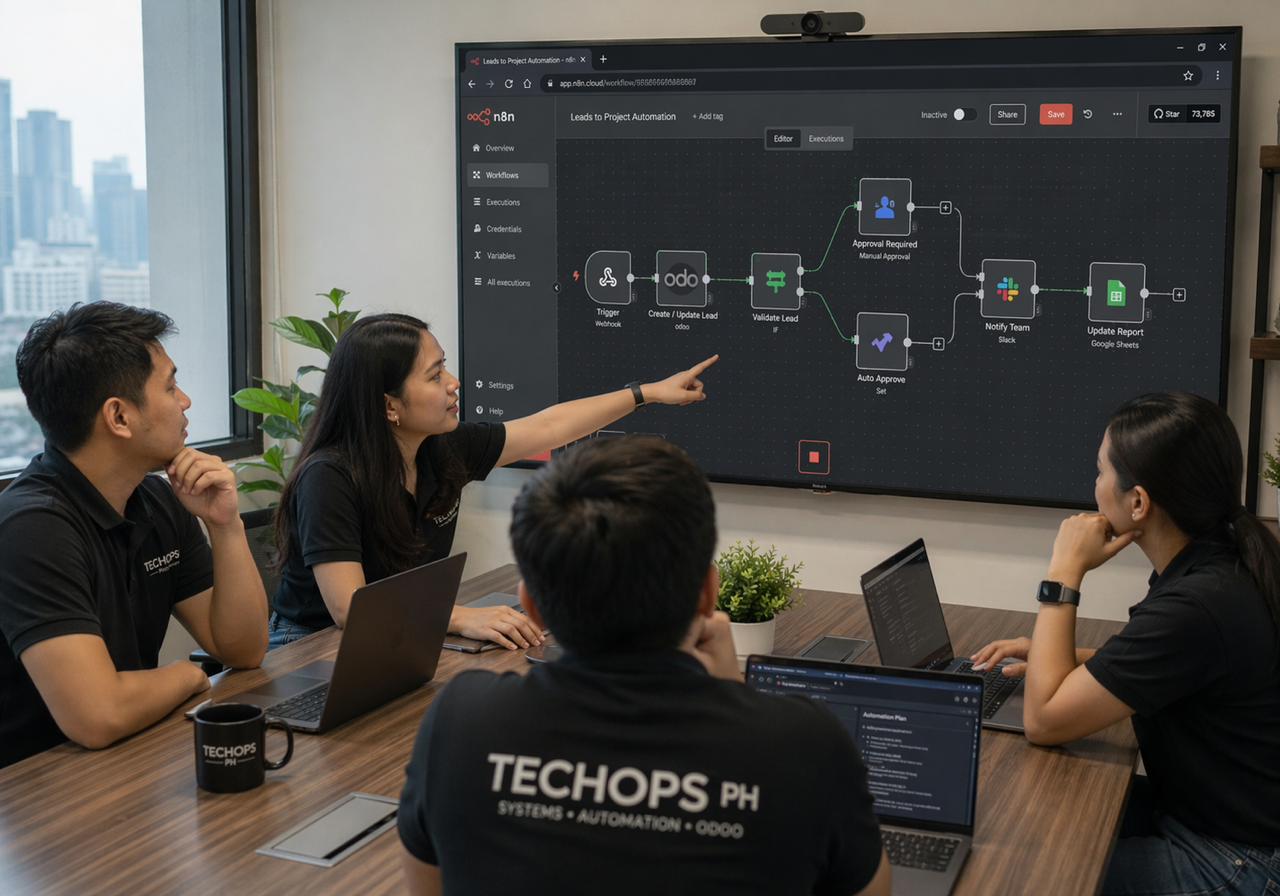
Tech Ops PH builds AI-assisted automation around Odoo, n8n, APIs, documents, approvals, notifications, and reports so teams reduce manual work without losing human control.
We start with the workflow, then decide where AI should classify, summarize, draft, extract, route, or recommend. High-impact actions stay reviewed, logged, and tied to the business process.

Automation fit signals
- The work repeats often and has a clear trigger.
- The inputs can be read from Odoo, documents, email, forms, or APIs.
- The action can be routed for review when confidence or risk is not acceptable.
What we automate
AI automation works best when it removes a real operational bottleneck.
We use AI where rules alone are too rigid: reading unstructured messages, extracting document details, drafting replies, summarizing records, suggesting next steps, or preparing reports. Then we connect those outputs to Odoo, automation tools, and human approval points.
Document intake
Extract and prepare records
Use AI to read requests, attachments, PDFs, or forms, then prepare draft Odoo leads, tasks, tickets, invoices, or review notes.
CRM follow-up
Keep sales activity moving
Summarize conversations, suggest next activities, prepare follow-up drafts, and flag leads that need attention before they go stale.
Support triage
Classify and escalate tickets
Route support requests, summarize issue history, identify missing details, and suggest escalation paths while preserving team review.
Odoo actions
Connect AI outputs to records
Push reviewed summaries, classifications, activity suggestions, and notifications into Odoo through safe workflow actions and integrations.
Reports
Prepare management-ready summaries
Draft weekly updates, variance notes, customer status reports, or operational narratives from Odoo data and workflow activity.
Approvals
Route exceptions with context
Prepare approval packets, summarize risk, identify missing inputs, and notify the right owner instead of hiding exceptions in chat.
Automation design
Not every workflow should be fully automated.
Some work can run automatically. Some work should be drafted by AI and approved by a person. Some work should only be monitored because the risk is too high or the data is not stable enough. We make those boundaries explicit before building.
AI automation FAQ
Common questions before building AI into workflows.
Build from the workflow
Have a repetitive process that should move faster?
We can review the process, Odoo touchpoints, data quality, risk level, and approval needs before recommending an automation path.